 OrderPocket
Cake orders, deposits and deliveries in one place.
OrderPocket is a simple Android app for people who bake to order. It keeps track of what each customer ordered, how much they have paid and when it has to be ready.
Free to start. Android 7 and newer. No account needed.
See OrderPocket in action.
One day with Rumana, a home baker in Dhaka: taking an order, recording a bKash payment, texting the customer an update in one tap, and the customer following their cake live. (Video in Bangla.)
If you take orders on WhatsApp, Instagram or Facebook, the details end up everywhere.
- Details are spread across chatsSize, flavour, the message on the cake and the pickup time are in different conversations.
- It's hard to track depositsOn a busy week it's easy to lose track of who paid an advance and who still owes money.
- Customers keep asking for updates"Is it ready?" usually arrives while you're in the middle of decorating.
Start the day with a clear list
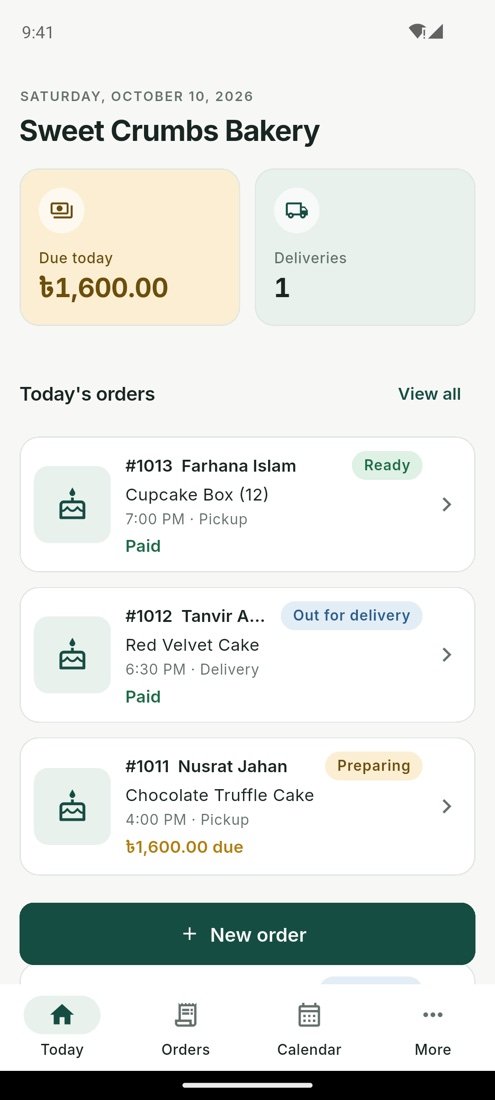
The Today screen shows the orders due today, the deliveries going out and how much money is still to be collected.
- Orders sorted by pickup or delivery time
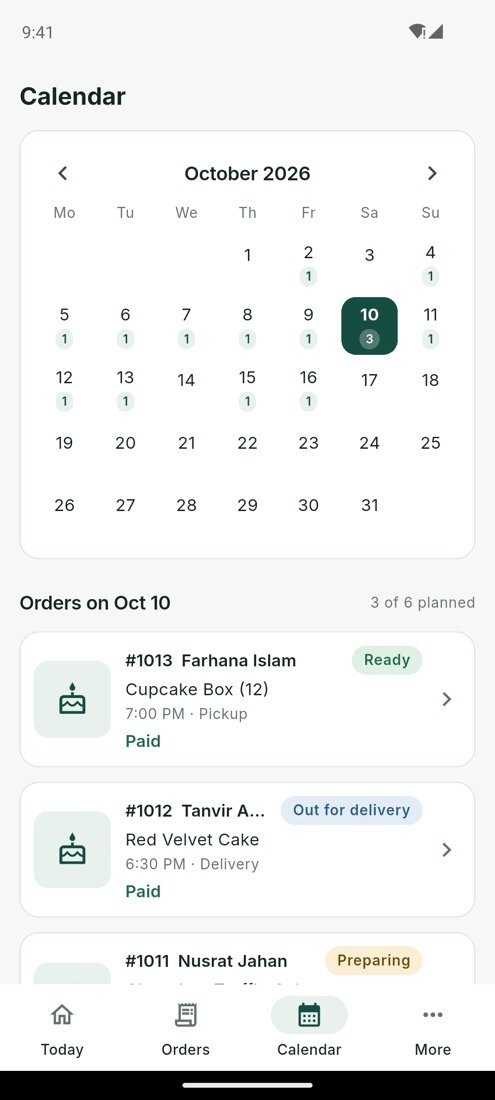
- Monthly calendar with a daily order limit
- Reminders the evening before and on the day
Record every payment
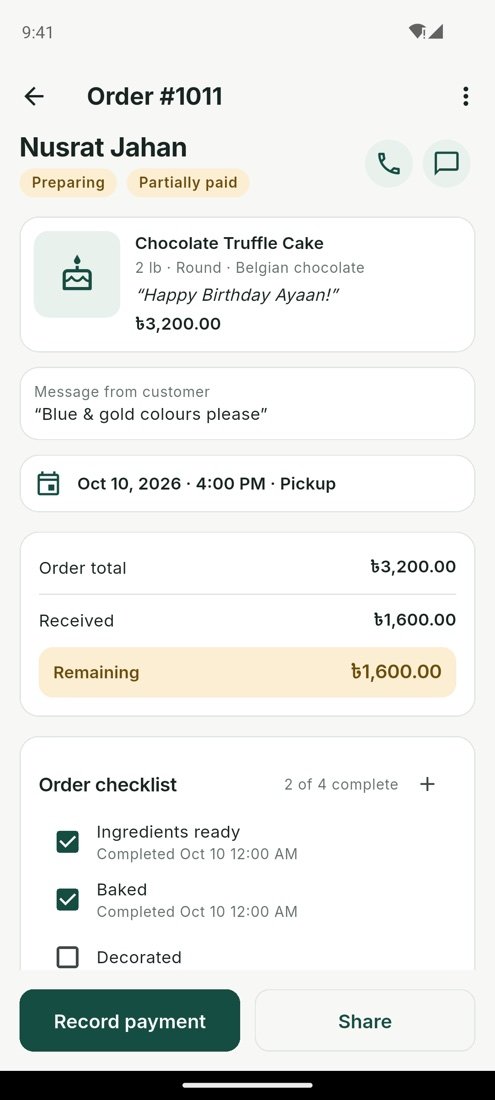
Enter the advance when you take the order and add each payment after that. OrderPocket works out the balance.
- Cash, card, bank transfer or mobile wallet
- Partial payments, refunds and discounts
- The total due today on the home screen
Let customers follow their order
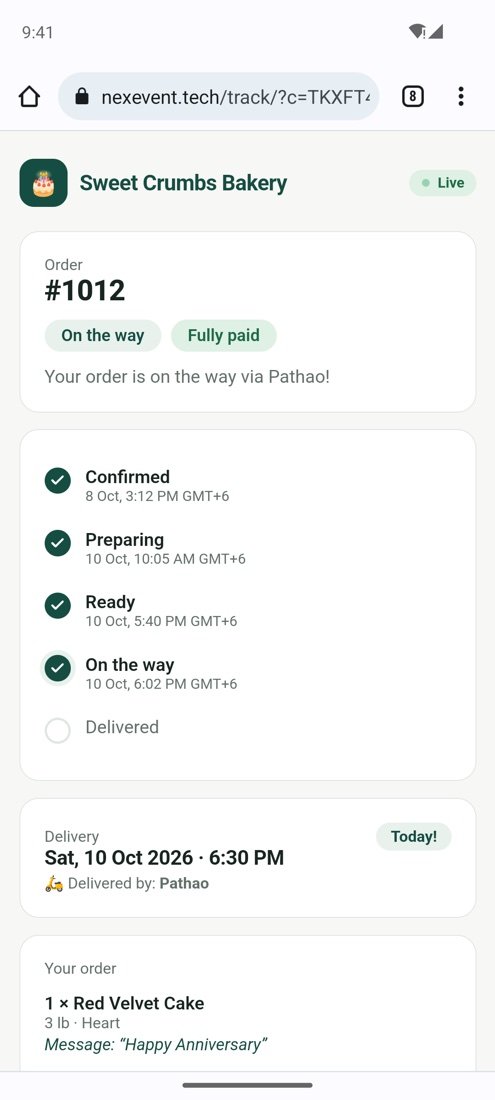
Share a tracking link on WhatsApp. When you change the status in the app, the customer's page updates within a few seconds.
- Confirmed, preparing, ready, on the way, delivered
- Shows the courier, your phone number and address
- Customers don't need to install anything
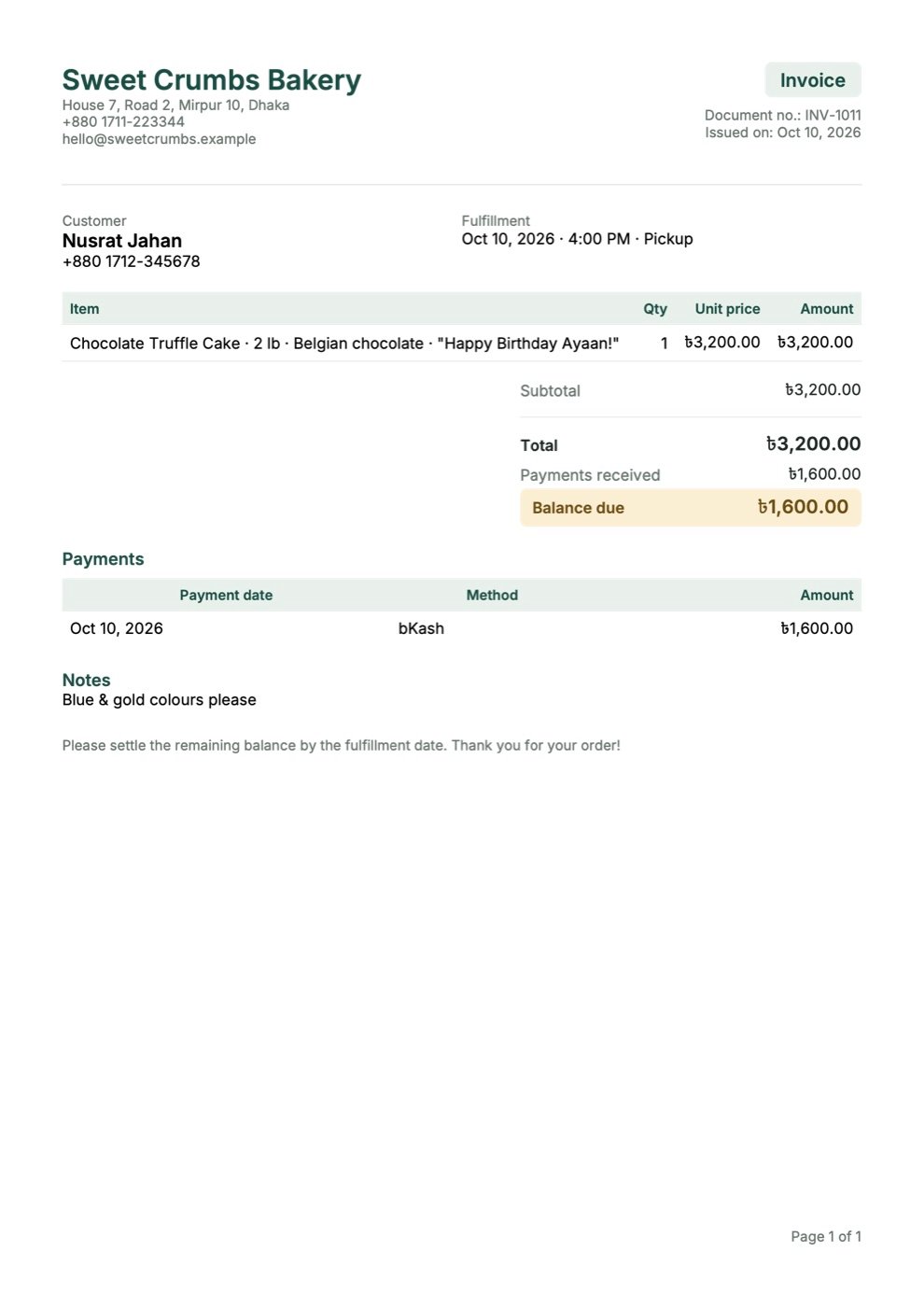
Send a proper invoice
Create a PDF invoice, receipt or quotation from any order and send it through WhatsApp, Messenger or email.
- Items, payments received and balance due
- Ready-made messages for confirmations and reminders
- Monthly sales, costs and margin
What a Saturday looks like with OrderPocket.
Check the Today screen. Three orders, one delivery and ৳1,600 left to collect.
A new order comes in on Instagram. A 2 lb chocolate cake for a birthday. It's saved with the 50% advance in about a minute.
Send the invoice. One tap shares the PDF on WhatsApp.
Mark the red velvet as ready. The customer's tracking page updates on its own.
The rider leaves. The page now says it's on the way, with the courier's name.
Record the final payment. The day's totals are already in the report.
The practical bits.
- Price
- Free to start. Optional Pro subscription through Google Play.
- Phones
- Android 7.0 and newer. No iPhone version yet.
- Internet
- Not needed for daily use. Used only to send messages, share tracking links and back up.
- Countries
- 30+ countries with their own currency, time zone and number format.
- Languages
- English and Bangla. Switch at any time.
- Payments
- Cash, card, bank transfer, bKash, Nagad and other wallets.
- Backup
- Encrypted on your phone before upload. Only your recovery code can open it.
- Your data
- Stays on your phone. No account, no ads.
Common questions.
Is OrderPocket free?
Yes. You can download it and manage your orders for free. The optional Pro subscription adds unlimited orders and your logo on invoices.
Do I need to create an account?
No. Open the app, enter your business name and currency and start adding orders.
How does the tracking link work?
On any order, tap Share and then Share tracking link. Your customer opens a web page that shows each step with the time, the courier and your contact details. It refreshes by itself.
Can I use it in my country's currency?
Yes. It supports more than 30 countries, including taka, rupee, dirham, riyal, ringgit, pound, euro and dollar.
What if I lose my phone?
Turn on cloud backup and keep your recovery code somewhere safe. On a new phone, install OrderPocket and choose Restore with recovery code.
Who is behind OrderPocket?
OrderPocket is made by NexEvent Studio. You can reach us at info@nexevent.tech.
Try it with your next order.
Setup takes about two minutes and there's no account to create.